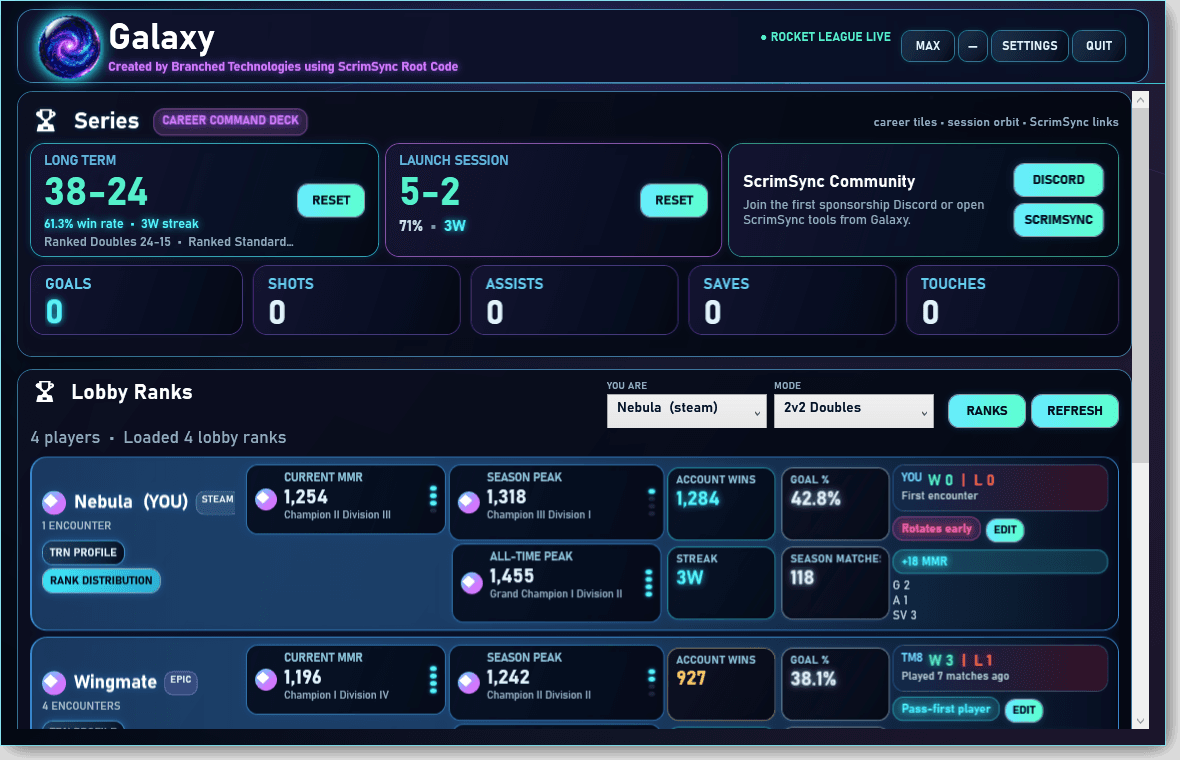
Native Galaxy screen
The native Galaxy Screen keeps series records, career stat tiles, ScrimSync actions, and lobby rank cards on a single desktop surface.
 ScrimSyncSign In
Galaxy App
Galaxy is the ScrimSync companion app for compliant utility features inspired by plugin workflows players relied on before EAC changed what could be used in-game.
App preview
Galaxy is moving toward a packaged desktop experience for Rocket League players who want useful context, session visibility, and ScrimSync-connected tools while staying inside platform boundaries.
The native Galaxy Screen keeps series records, career stat tiles, ScrimSync actions, and lobby rank cards on a single desktop surface.
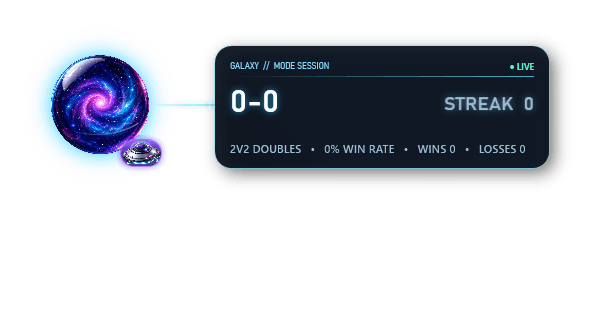
The IGO now reports the active mode session record, MMR delta context, and the lightweight Galaxy object with only subtle saucer motion.
Galaxy is built around compliant utility features inspired by the Rocket League tools players lost access to after the EAC update.
The goal is to keep Galaxy on the right side of Rocket League Terms of Service and anti-cheat boundaries while still restoring useful player quality-of-life tools.
Galaxy can become a desktop companion for ScrimSync scheduling, roster visibility, rank context, and community discovery.
Community updates
Galaxy updates will also call out related Branched Technologies community work as those ideas become ready to discuss publicly.
Galaxy now keeps ScrimSync community navigation closer to the main app surface, including ScrimSync and ScrimSync Discord actions for players who want scheduling and community tools nearby.
Still in discussion/development by Branched Technologies. Check back later.
Galaxy Native is available for community testing through the ScrimSync Galaxy tab. Download the latest build, run it while playing Rocket League, and share anything that feels off with connection, overlay, lobby ranks, notes, or match/session tracking. Every Galaxy feature is free while we are in testing phases.
If you run an org, league, or community Discord and want premium placement inside Galaxy later, contact Branched Technologies directly. Premium community ads are planned as monthly placements where your invite link can be used directly.
Download GalaxyInstall Galaxy
The current alpha uses an Electron-free per-user Windows installer with upgrade and uninstall support. A portable ZIP remains available from the GitHub release page as a fallback.
Download and run the Windows installer from the ScrimSync Galaxy release page.
Open Galaxy from the Start Menu or desktop shortcut after the installer finishes.
Galaxy 2.24 and later can download the official installer, verify it, close Galaxy, apply the update, and relaunch from the native Update panel.
The Electron-free ZIP remains available for portable testing if the installer path is not suitable on a specific machine.
Safety boundaries
Galaxy is being shaped as a compliant companion app. The line matters: helpful player context is the goal, not game manipulation or anti-cheat bypassing.